Stop Guessing. Start Knowing. — Freelancer Finance Tracker (Excel)
See every client payment, expense and true profit in seconds — no accounting skills required. Enter your dates. Get clarity. Make smarter money decisions.
Stop Guessing. Start Knowing. — Freelancer Finance Tracker (Excel)
See every client payment, expense and true profit in seconds — no accounting skills required. Enter your dates. Get clarity. Make smarter money decisions.
Watch How It Works in Under a Minute
See how easy it is to set up your tracker and build your personalized dashboard in less than 60 seconds. Follow this quick tutorial and get started instantly.
Want to Preview PeakTrack?
Get a sneak peek of the tracker before you buy! Download the demo version and explore how PeakTrack helps you track income and expenses with ease.
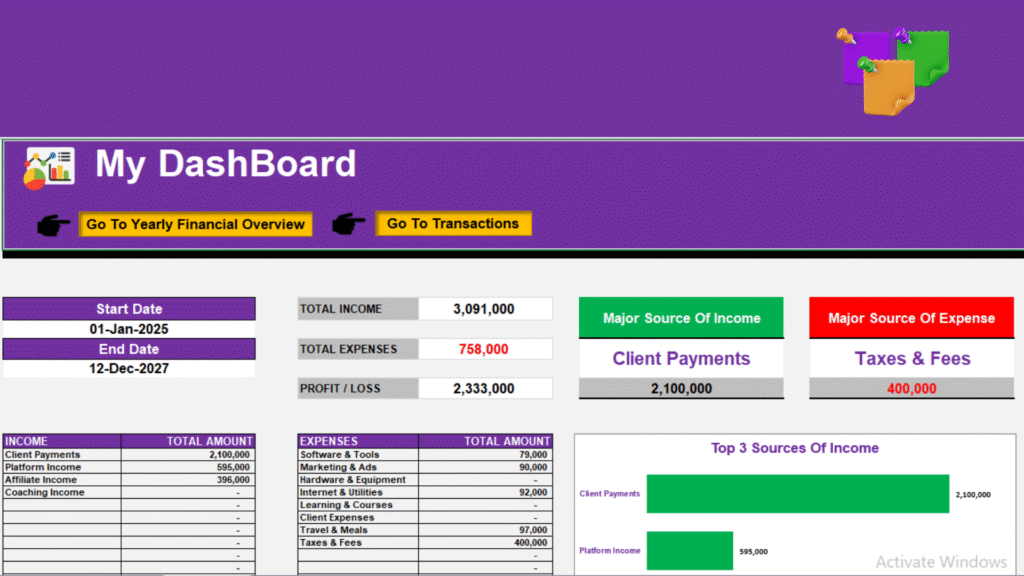
One spreadsheet that replaces chaos with clarity. Track income, categorize expenses, view top sources, and analyze every month — all from one sleek Excel file.
Key Benefits
Take full control of your finances without complex tools.
This simple yet powerful tracker helps you record your income and expenses, view your progress instantly, and understand where your money truly goes — all in one organized Excel file.
1. Everything in One File
No need to juggle multiple sheets or apps. Record your income and expenses, view totals, and analyze results — all within one organized Excel file.
2. Understand Your Spending Habits
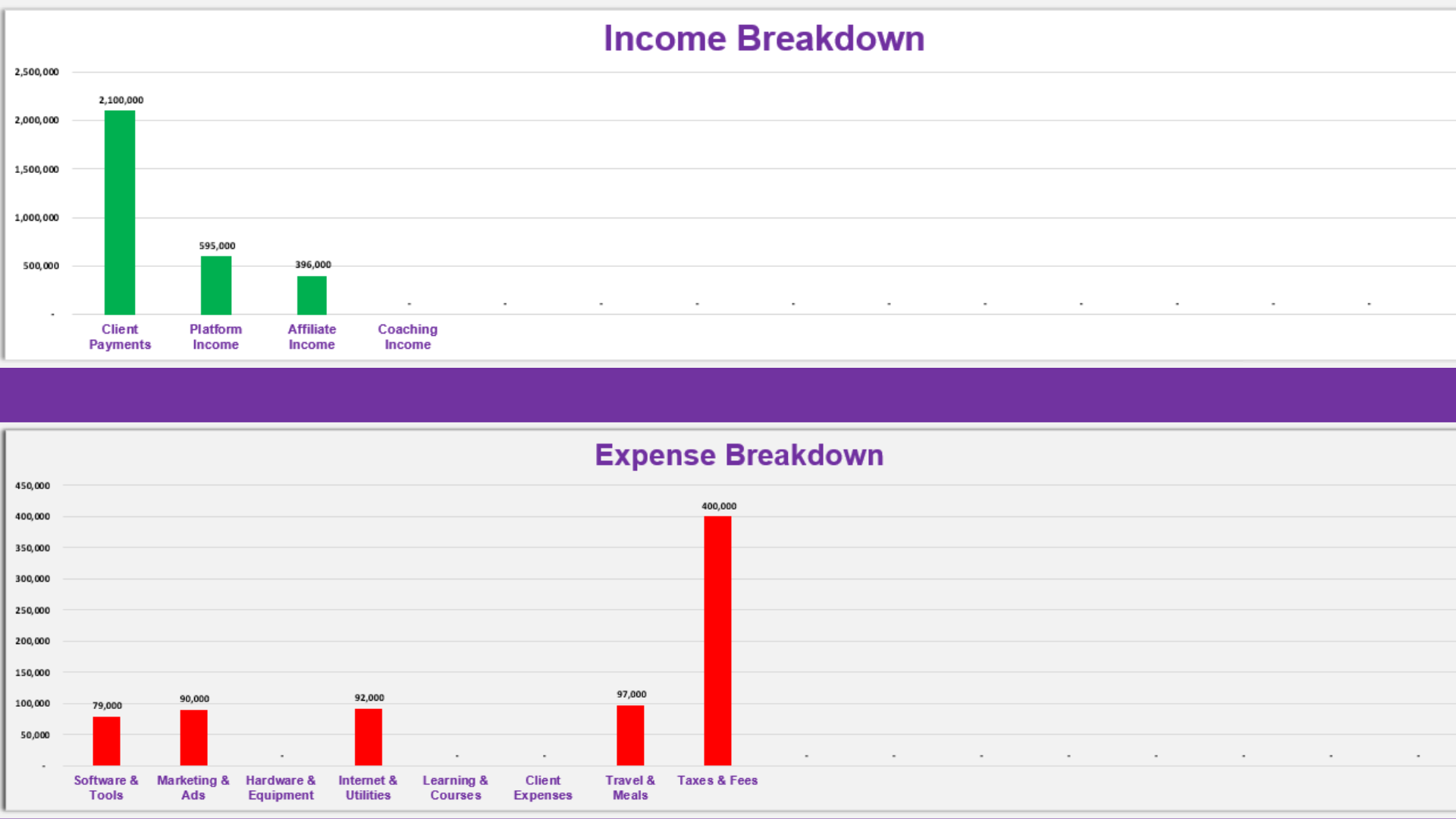
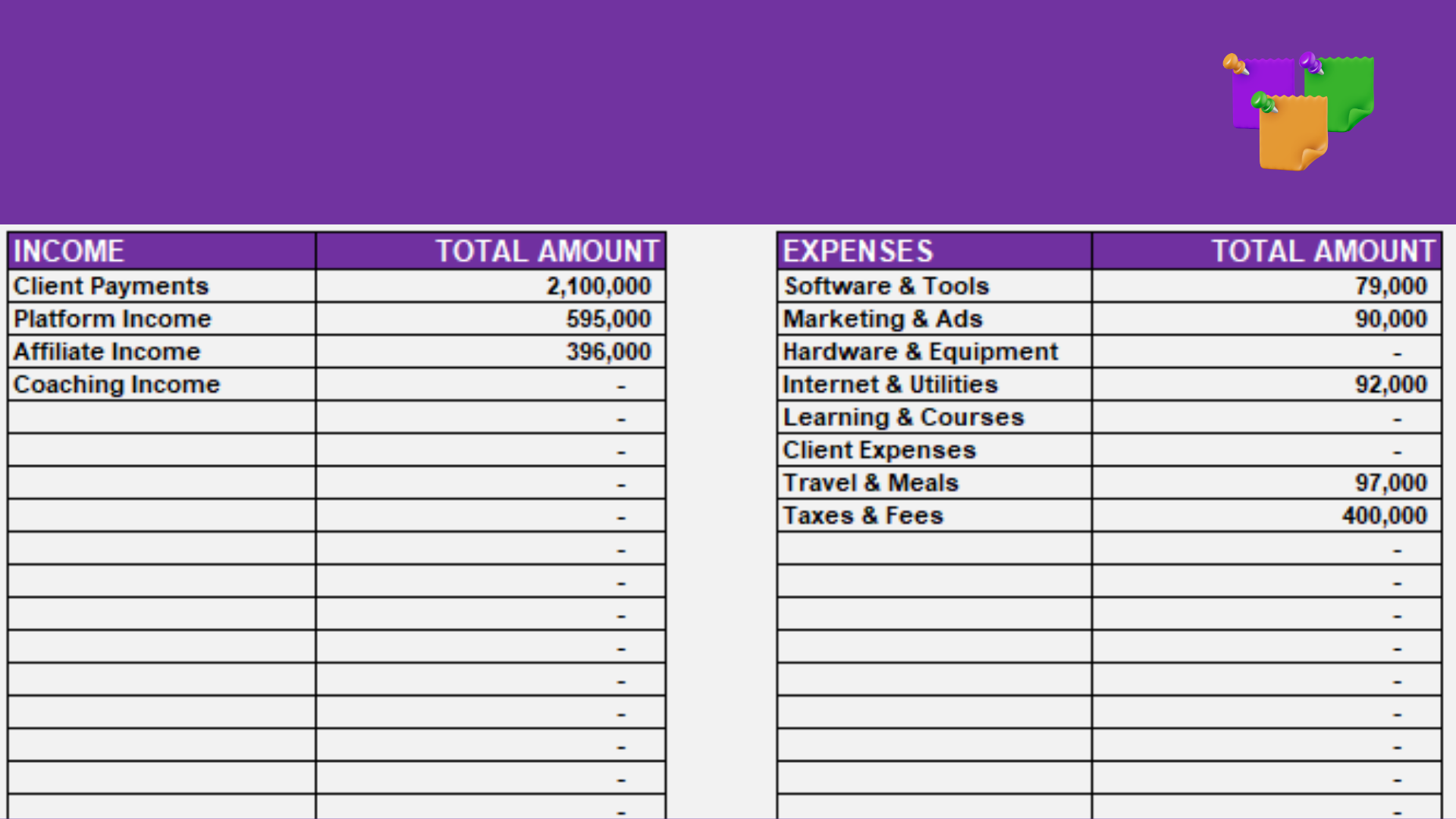
Easily see where your money goes with automatic income and expense summaries. Identify which categories consume most of your budget.
3. Date-Based Insights
Select any start and end date — your dashboard instantly updates to show income, expenses, and profit within that period.
4. Clear Monthly & Yearly Overview
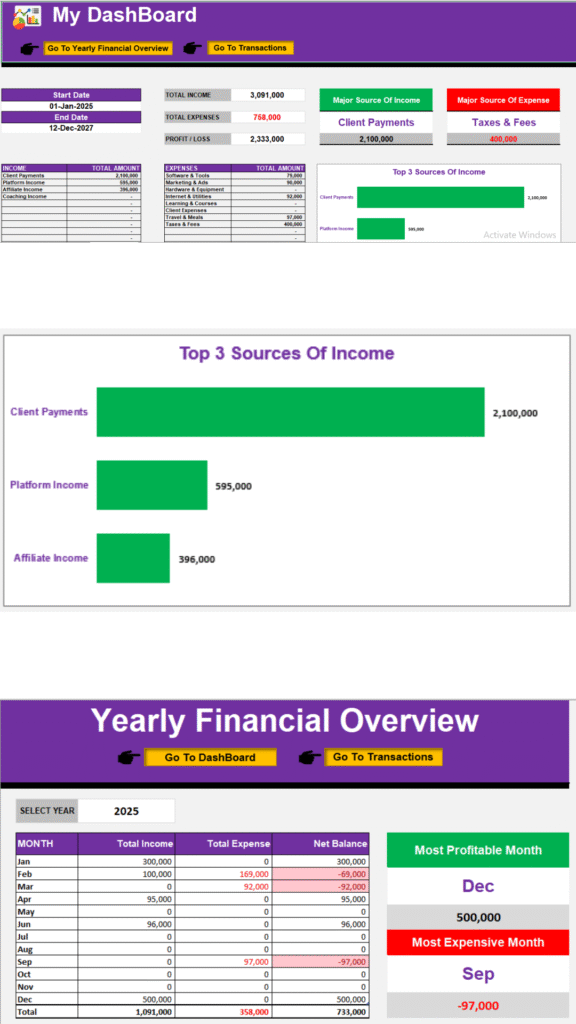
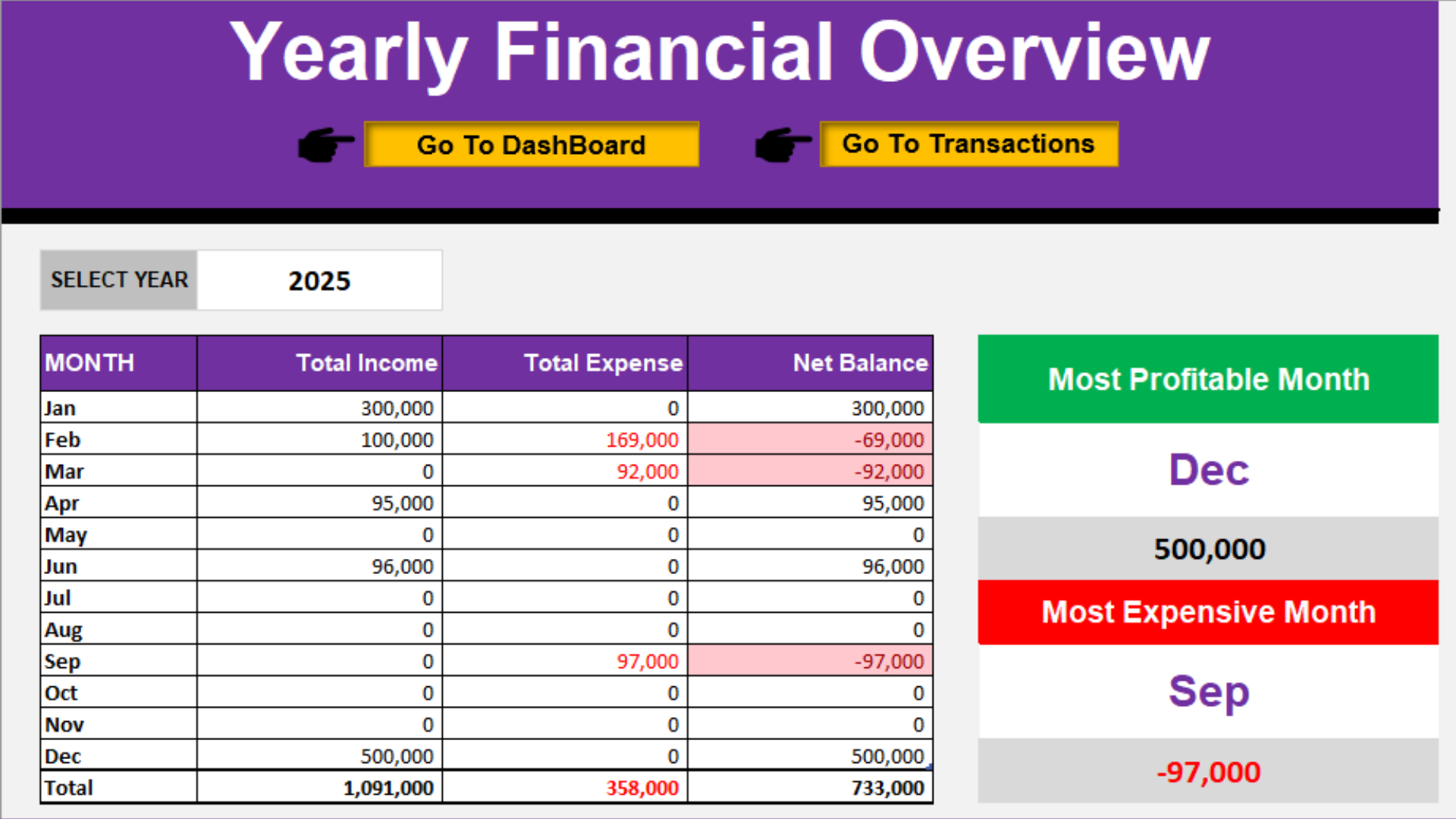
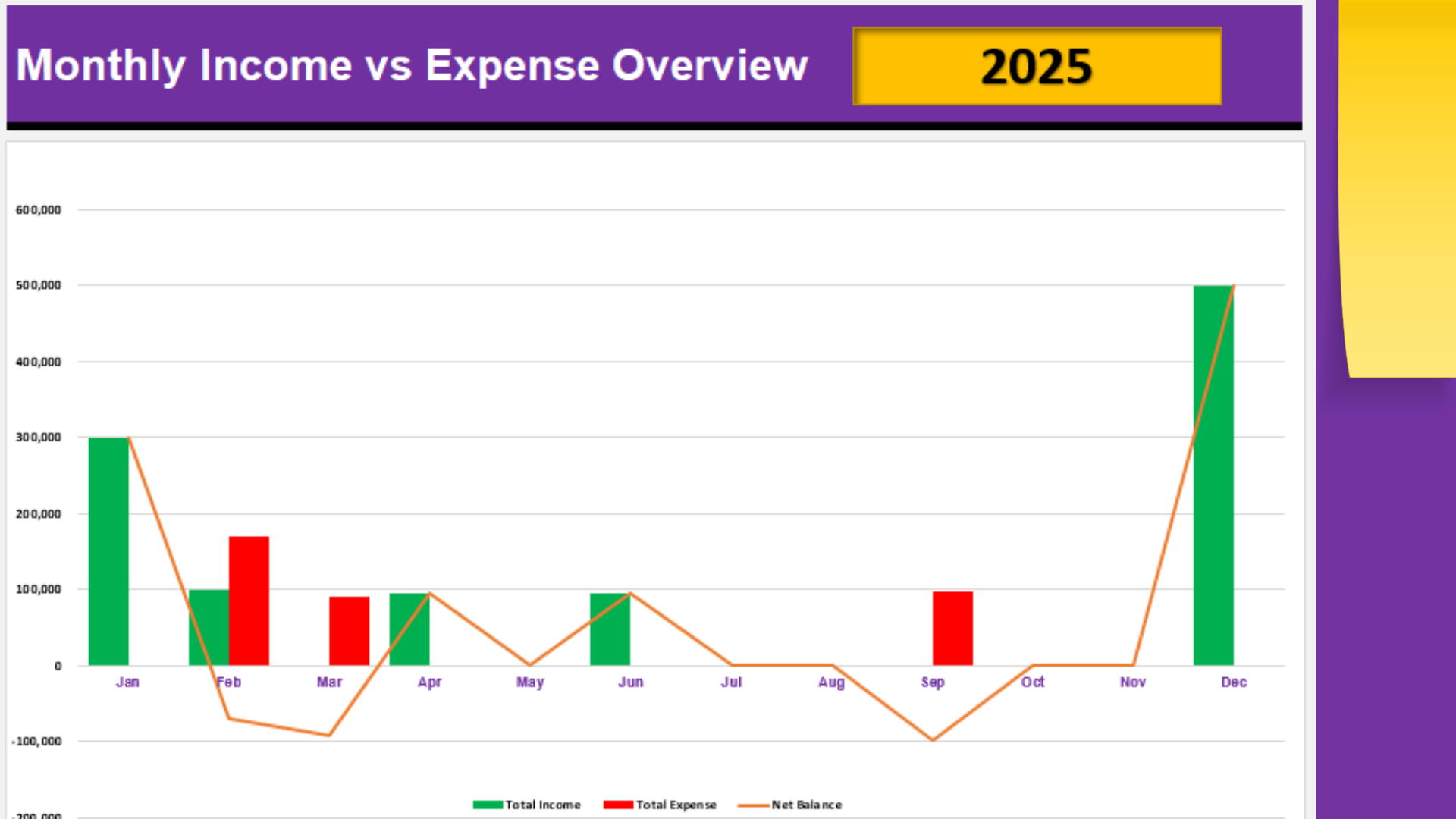
Get a visual summary of your financial performance month by month. Quickly spot profitable or expensive months.
Key Features!
Built for clarity and ease of use.
- Transactions Sheet:
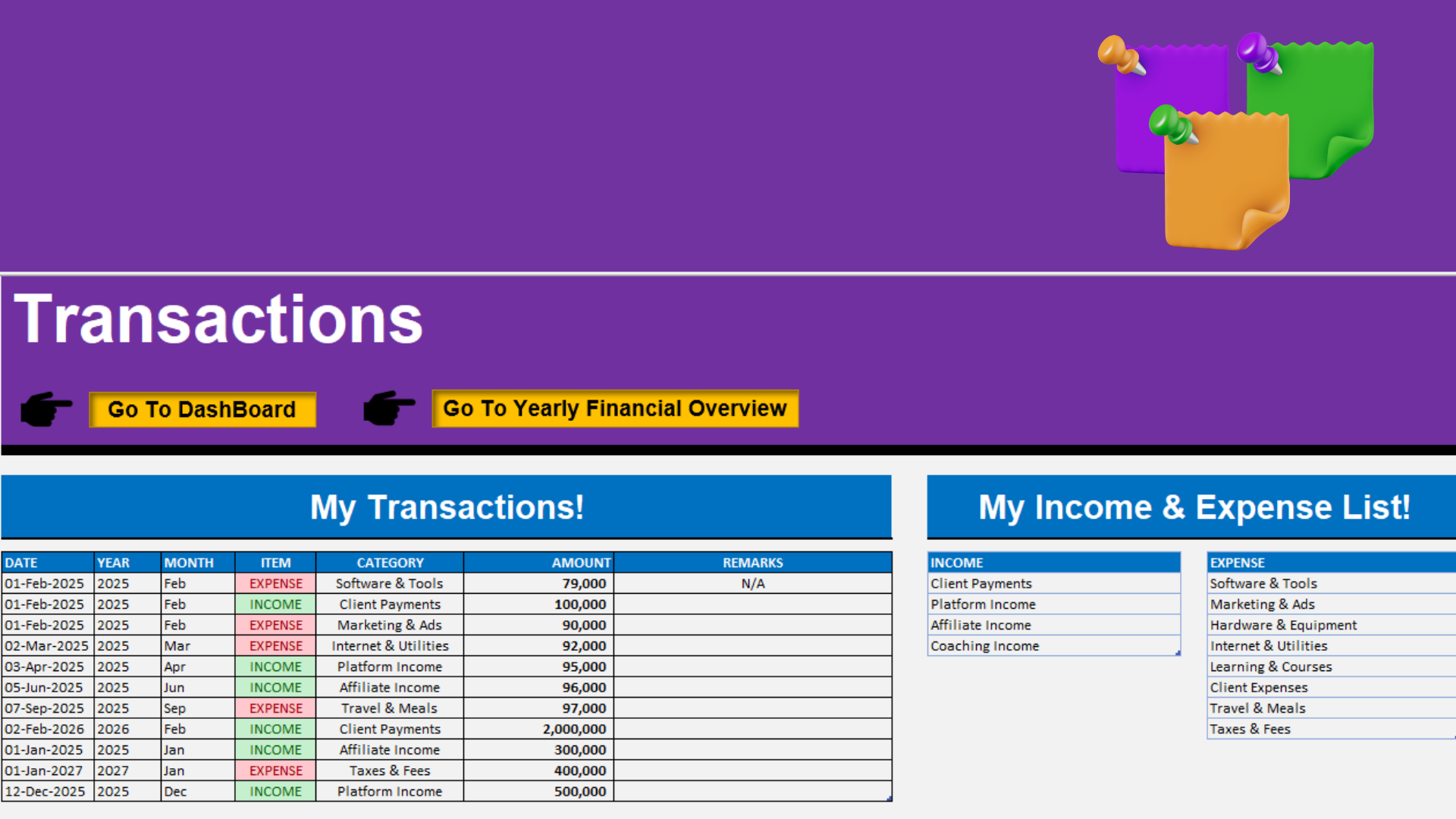
Enter your daily income and expenses with date, category, and remarks.
- Dynamic Dashboard:
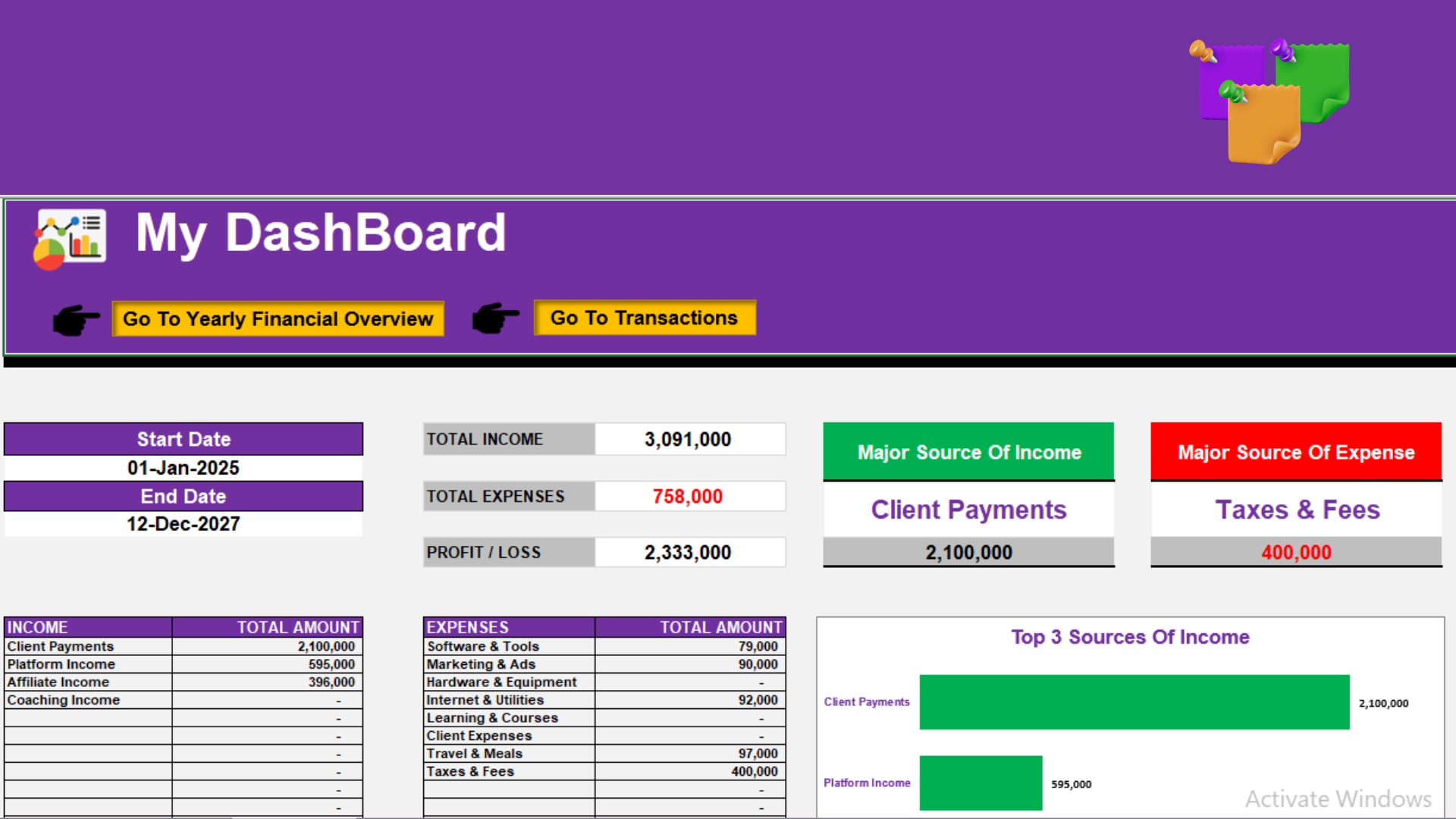
Displays total income, total expense, and overall profit.
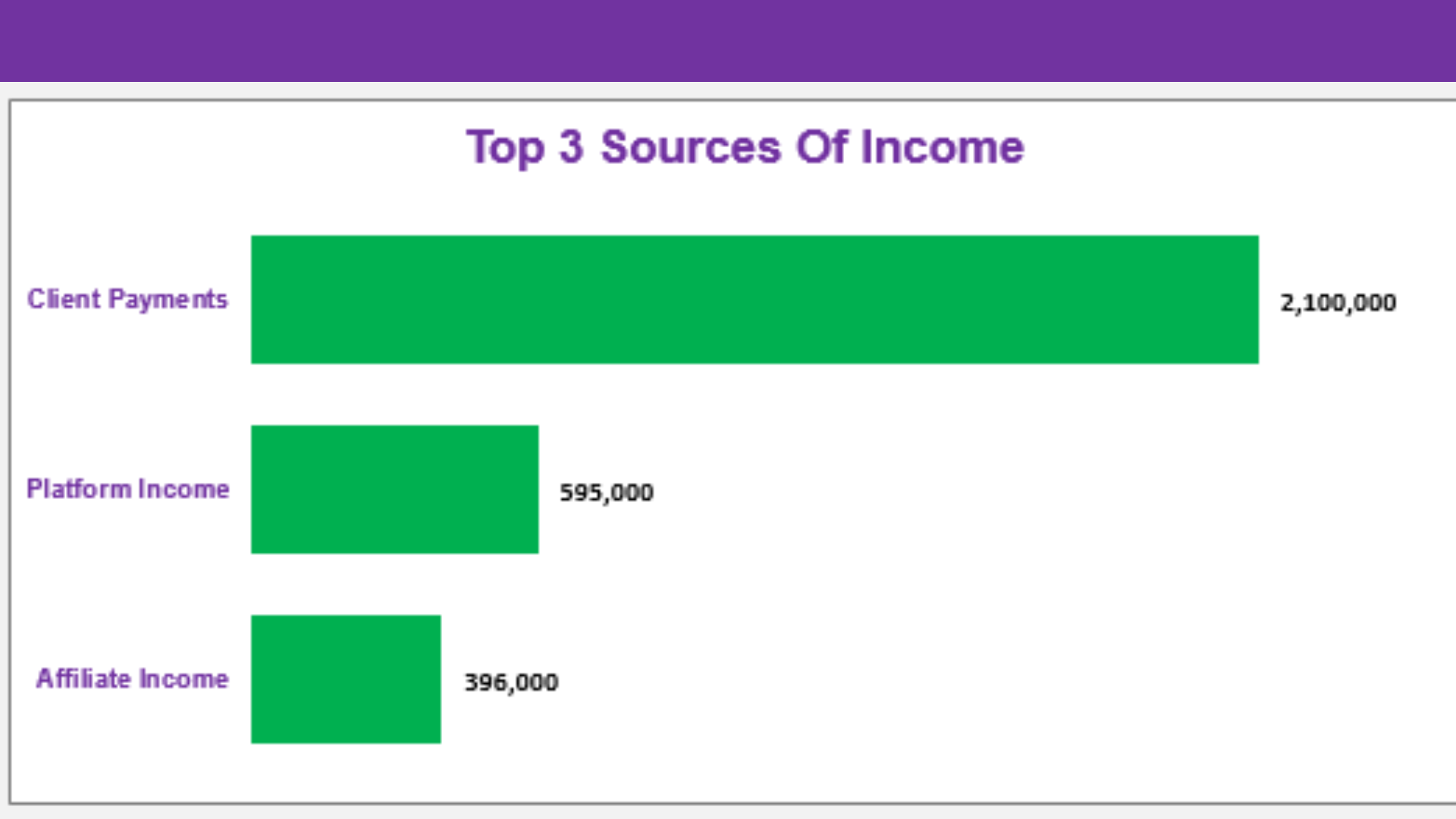
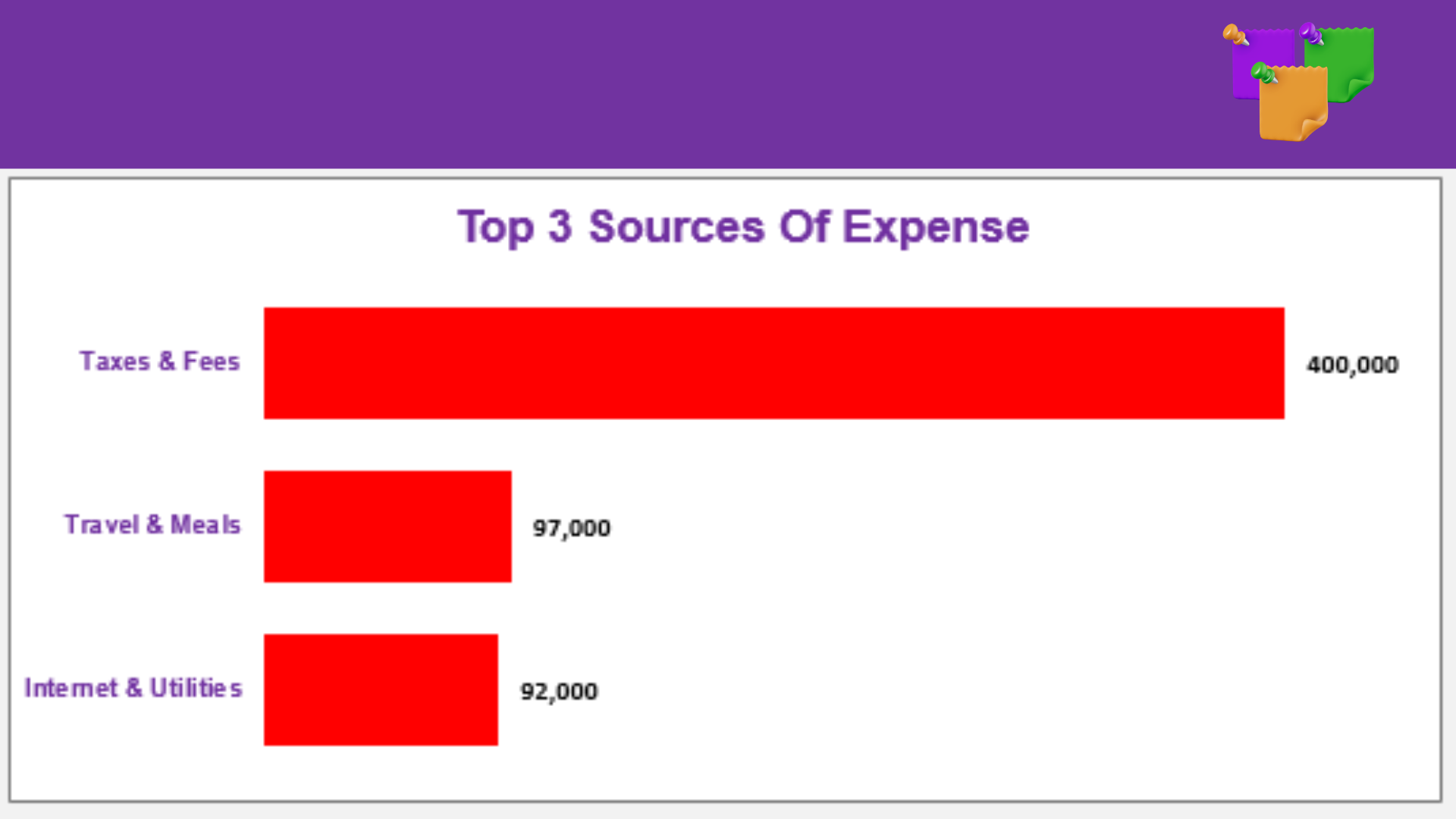
Highlights top 3 income sources and top 3 expense categories.
Visual chart for income and expense within any selected period.
- Yearly Financial Overview:
Shows month-wise income and expense breakdown for the selected year.
Automatically identifies the most profitable and most expensive month.
- Automatic Calculations:
No manual formulas — every summary, total, and chart updates automatically.
- Easy Navigation:
Built-in navigation buttons between sheets for a smooth experience.
- Professional Layout:
Clean & neat design for a polished and business-friendly appearance.
HOW IT WORKS?
1. Open Transactions
Type your data (date, item, category, amount).
2. Go to Dashboard
Pick start & end dates — see totals & top sources.
3. Type a year in Yearly Overview
Get monthly breakdowns + charts.
WHAT YOU GET
Finance_Tracker.xlsx
Fully working Excel file (Transactions, Dashboard, Yearly Overview)
Quick Start Guide (PDF)
1-page, step-by-step setup
Example Data file
To try before entering your own data
What Our Users Are Saying
Rashid Hassan
“This tracker made it so easy for me to see where my money goes every month. I finally feel in control of my budget.”
Muhammad Saad
“I love how simple it is to use. I just add my income and expenses, and it shows me everything clearly.”
Maria Malik
“The yearly overview helped me realize how much I was spending on small things. Totally worth it!”
Waqas Bashir
“Very organized and professional. The charts make it easy to understand my spending habits.”
Khowla Ashar
“I used to write everything in a notebook, but this tracker saves me so much time.”
Ajmeeri Khan
“The dashboard is amazing. I can instantly see my total income, expenses, and which month I saved the most.”
FAQs
This tracker is designed to work only with Microsoft Excel. It is not compatible with Google Sheets or other spreadsheet programs.
You can view it on the Excel mobile app, but for the best experience and full functionality, it’s recommended to use it on a laptop or desktop version of Excel.
Yes! You can fully customize categories, income sources, and expense types to match your personal or business needs.
Since this is a digital product, all sales are final and non-refundable. Please review all details carefully before purchasing.
Yes. The tracker is beginner-friendly with simple data entry and automatic calculations. You don’t need advanced Excel skills to use it.
Absolutely! It’s designed to help you manage your personal finances, small business budget, or freelance income efficiently.
It provides dynamic dashboards, yearly financial overviews, and automated charts that make your financial data easy to understand and visually appealing.
No. Each purchase is for individual use only. Please encourage others to purchase their own copy.
You can reach out for basic support or guidance on how to use the tracker. We’ll be happy to help you get started!
All Rights Reserved By Peakvibes.online